HeyGen has five pricing tiers right now. Four of them are built for people who aren't you.
That's not a knock on the product. HeyGen sells to marketing agencies producing dozens of videos a week and enterprise teams running training content across departments. Most of its pricing page is written for them. If you're an experienced professional trying to build one consistent voice, not a content operation, most of that page doesn't apply to you. The plan that actually fits is cheaper and simpler than the top-line numbers suggest.
Quick disclosure before we go further: if you buy HeyGen through the links here, I earn a commission at no extra cost to you. I use it myself, weekly, for the avatar you've seen on this site. That's the only reason I'm recommending it.
Then keep reading. Here's what every plan actually costs, what it actually includes, and which one fits someone at your stage.
Fast Facts
- Five plans total: Free, Creator, Pro, Business, Enterprise
- Price range: $0 to $149/month, plus custom Enterprise pricing
- All paid plans run on a credit system, not a flat "videos per month" count
- HeyGen's old Team plan was retired in January 2026 and folded into the new Business plan
The Credit System, in Plain English
Every paid HeyGen plan gives you a monthly credit allowance, and this is the part most pricing guides skip: not all video costs the same number of credits. A standard avatar video runs about three credits per minute. The premium Avatar IV and V models, the ones that look the most realistic, run closer to twenty credits per minute. Voice translation with lip-sync sits around five credits per minute.
That means "600 credits a month" isn't one number. It's two hundred minutes of standard avatar video, or thirty minutes of the premium avatar model, depending on which one you use. Keep this in mind as you read the plan breakdowns below. The credit total on the pricing page and the amount of usable video it buys you are two different questions.
Free
Our Verdict: A real way to test the workflow before you spend anything, not a plan you can actually publish on. Price: $0/month The Best Part: Full access to Avatar IV and the Video Agent, plus more than five hundred stock digital twins and one custom digital twin, so you can see exactly what the output looks like before committing. The Worst Part: Three videos a month, capped at one minute each, with a watermark. That's a demo, not a publishing schedule. Best For: Anyone who wants to see the avatar quality with their own script before deciding whether to pay for anything.
Creator ($29/mo, $24/mo billed annually)
Our Verdict: The realistic starting point for most experienced professionals building a platform. Price: $29/month, or $24/month if you pay annually The Best Part: Six hundred credits a month, watermark removed, voice cloning included, and support for more than one hundred seventy-five languages. For someone publishing once or twice a week, this comfortably covers it. The Worst Part: Exports cap at 1080p. Fine for most platforms, but if you're chasing the crispest possible output for a specific channel, you'll notice the ceiling. Best For: The solo expert publishing consistently but not yet needing top-tier export quality. This is where most readers of this article should start.
Pro ($49/mo, $40/mo billed annually)
Our Verdict: Worth it once export quality or volume starts to matter, not before. Price: $49/month, or $40/month if you pay annually The Best Part: One thousand credits a month and 4K export. If you're publishing across more formats, or a specific platform actually rewards higher resolution, the jump earns its keep. The Worst Part: For someone publishing once a week in 1080p, this is paying for headroom you won't use yet. Best For: Someone whose publishing cadence or output quality has already outgrown Creator, not someone starting from zero.
Business ($149/mo + $20/seat)
Our Verdict: Built for teams. Skip this unless you're actually hiring one. Price: $149/month, plus $20 per additional seat The Best Part: SAML/SSO, five or more custom digital twins, LMS integration, and native connections to Zapier, Make, and HubSpot. Real infrastructure, if you need it. The Worst Part: Every one of those features solves a team-coordination problem. A solo expert building a personal authority platform doesn't have that problem yet. Best For: An agency or an internal training department, not the reader this guide was written for. This is the tier the top-line "starts at $149" pricing headline is actually describing, and it's not you.
Do the math before you're tempted. Base price plus three seats runs $209 a month. That's a real budget line for a five-person marketing team splitting the workload. For one person building one voice, it buys nothing Creator doesn't already cover.
Enterprise
Our Verdict: Not a real option at your stage. Included here for completeness. Price: Custom, contact sales The Best Part: Unlimited video length, flexible credits, and a dedicated success manager. The Worst Part: Priced and built for organizations running HeyGen across multiple departments and workspaces. Best For: Large companies, not the individual expert reading this.
Which Plan Actually Fits an Experienced Professional Building Authority
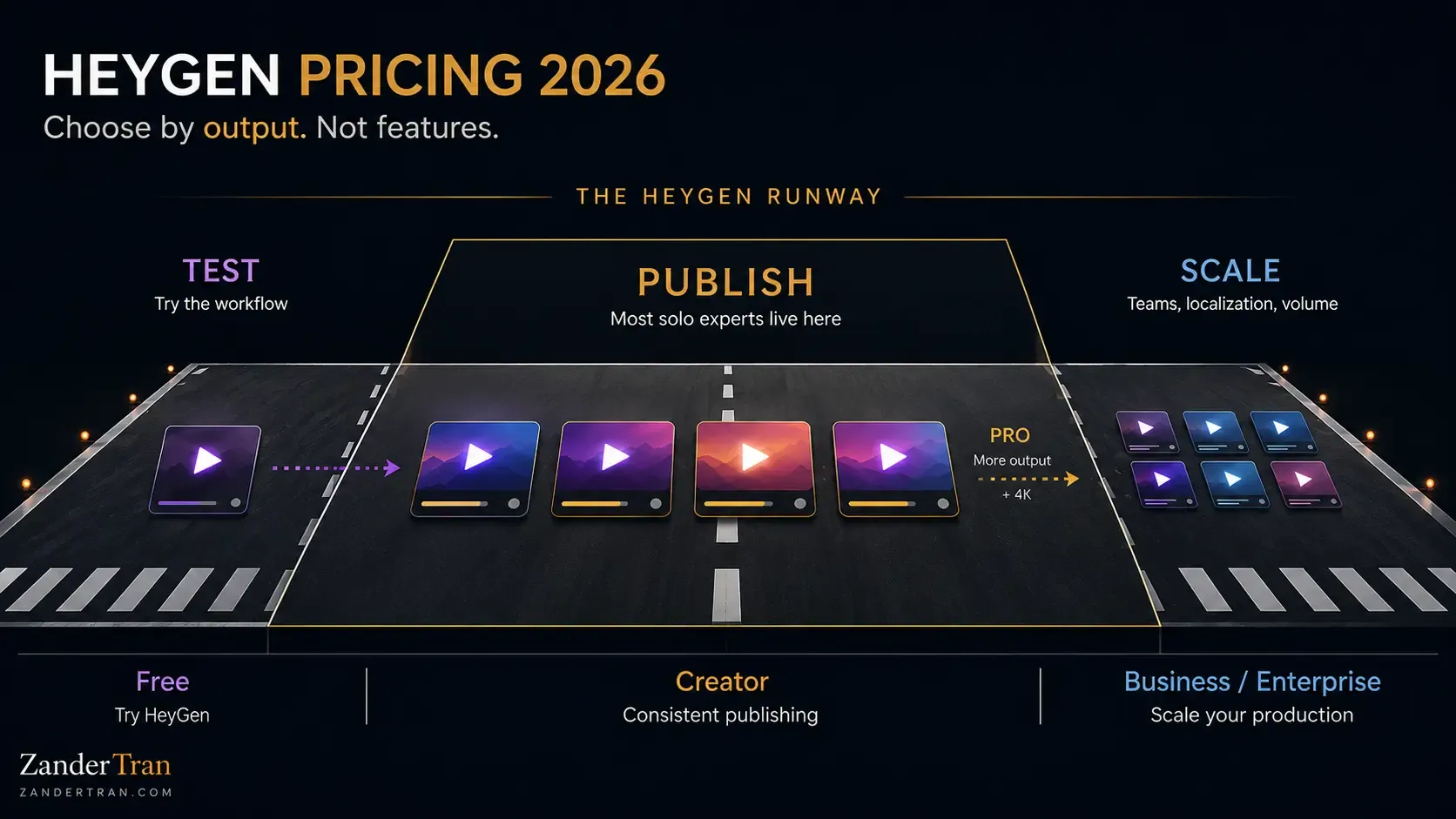
Here's the short version. Start with Free to see the output quality with your own material. Move to Creator once you're ready to publish on a real schedule, watermark removed, voice cloned to sound like you. Stay there. Most readers of this article never need to leave Creator. Upgrade to Pro only if 4K export or a heavier publishing pace genuinely calls for it. Ignore Business and Enterprise entirely unless you're building a team, which is a different problem than the one this article was written to solve.
Put the Creator price next to what it replaces and the decision gets easier. Twenty-nine dollars a month is less than a single hour with a freelance video editor in most markets. And unlike that hour, it doesn't run out at the end of the project. You're not comparing HeyGen to "free." You're comparing it to the camera, the lighting, the editing software, and the hours you weren't going to spend on any of it anyway. Measured against that, the Creator plan is closer to a rounding error than a real decision.
Get started with HeyGen Creator → (affiliate link)
If you want the full hands-on take before you commit to a plan, the full HeyGen review covers six months of actually using it. It's where the output looks most convincing, and where it still shows its seams.
For how HeyGen stacks up against 11 other tools across avatar, voice, video, and email, see the 2026 AI Tools Benchmark Report.
Pricing current as of July 2026, sourced directly from heygen.com/pricing. HeyGen updates pricing periodically; verify current rates before purchasing.
Watch The Invisible Expert Method
19 years building authority platforms for celebrities and executives. Now I built one for myself, without going on camera. Watch the free training to see exactly how it works.
Watch FreeHow much does HeyGen cost per month?
Anywhere from free to $149 a month before you hit Enterprise pricing. For most experienced professionals building a solo platform, the realistic number is $29 a month on the Creator plan, or $24 a month paid annually.
Is HeyGen's free plan good enough to actually use?
It's good enough to test the workflow and see the output quality. It's not good enough to publish on. Three one-minute videos a month with a watermark is a demo, not a publishing schedule.
What's the difference between HeyGen Creator and Pro?
Mainly two things: credits (six hundred versus one thousand a month) and export quality (1080p versus 4K). Most solo creators don't need 4K unless a specific platform or use case actually rewards it.
Does HeyGen offer a discount for annual billing?
Yes. Annual billing drops Creator to $24 a month and Pro to $40 a month. HeyGen's free tier functions as the practical trial rather than offering a separate time-limited one.
Is HeyGen worth it for someone who isn't a content agency?
Yes, and the pricing page can make it look otherwise. Most of HeyGen's higher-priced tiers exist for teams. A solo expert only needs Creator, sometimes Pro, which is a fraction of what the top-line "starts at $149" framing implies.